

Efficiently tracking business performance is crucial, and one way to do this is by using the SUMIF function in Google Sheets to quickly and easily sum data ...
 Ishrak Khan
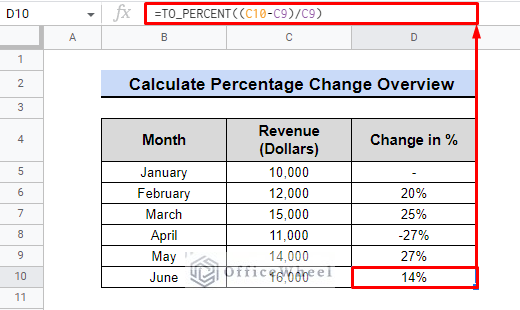
Learn how to easily calculate percentage change in Google Sheets. Use this powerful tool to track the performance of your data and make informed decisions. ...

The IFS function in Google Sheets helps to check multiple conditions at once, for example, it can be used to check if a value falls between two numbers and ...

The 50 day moving average is a useful tool for identifying trends in data. It is calculated by taking the average of a security's price over the past 50 days. ...

Nested VLOOKUP is a powerful technique in Google Sheets that allows you to retrieve data from multiple sources and columns using multiple VLOOKUP functions ...

Excess spaces in data can make it difficult to read and analyze, but Google Sheets can easily remove them. This article will show you how to use simple ...

INDEX MATCH makes it easier to find the data you need, especially if you have multiple sheets across Google Sheets from which to retrieve data. Google Sheets ...

Google Sheets has many formulas that make working considerably simpler. The IF THEN logical calculation in Google Sheets is one of the amazing features that ...

In Google Sheets, sharing workbooks is really simple. Sharing a section of a sheet or a group of cells can appear important at times. Google Sheets also makes ...

There is a wide range of visualization tools accessible in Google Sheets. You can visualize data using these tools and understand how various data components ...
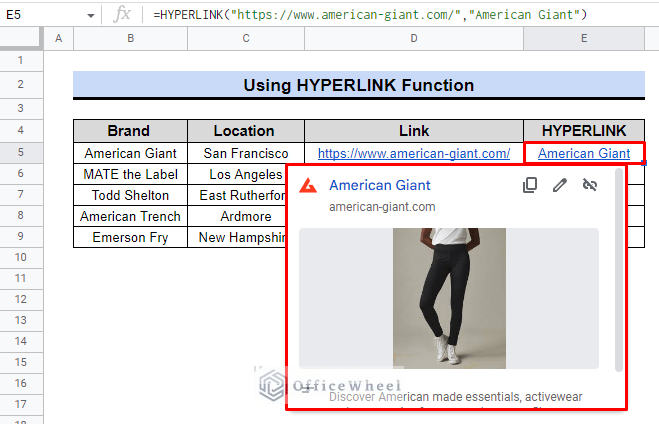
Everything is online-based these days. We frequently need to link web pages, publications, and even Google Sheets or Tables—not just for quick access, but also ...

An essential component of data processing is error handling. Errors are typically often possible when doing data operations. While using VLOOKUP, we ...

If we're talking about developing a financial model for business forecasting, Google Sheets excels without a doubt. When undertaking financial modeling, it is ...

Google Sheets UNIQUE function helps to quickly identify the unique values in the spreadsheet. When working with a larger dataset, this function comes in quite ...

In mathematical calculations, the average plays a significant role. When calculating the average, it could bias the data if we count zero. As a result, ...