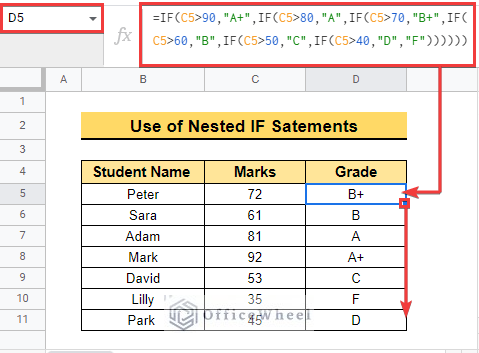
The IF function is a very helpful function in Google Sheets. It checks whether a statement is TRUE or FALSE. So, if you want to check valid data in a ...
Sometimes we need to differentiate outputs in the same dataset and every time doing it manually is quite complex and time-consuming. It would be much ...
Conditional formatting is a very dynamic feature in Google Sheets. It enables us to format our dataset with the criteria we put. Sometimes we need to ...
We often use percentage values in our calculations. It makes our calculations easier and helps us compare one quantity with another. In this article, ...
Pivot Table is a multi-functional tool in Google Sheets. Its usage includes summarizing, analyzing, visualizing data, and so on. In this article, we ...
In Google Sheets, we use wildcards to find data and perform different operations using functions. But sometimes problems arise that the wildcard is ...
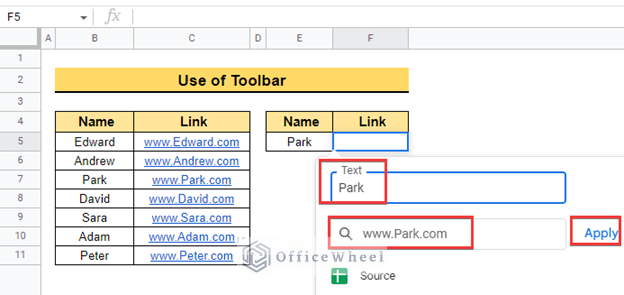
When you work with a large amount of corresponding data, it is very challenging to find and reference data from different tables. In this case, the ...
Standard deviation is a famous statistical tool in Google Sheets that we use often to measure the spread of values from the actual average values. We ...
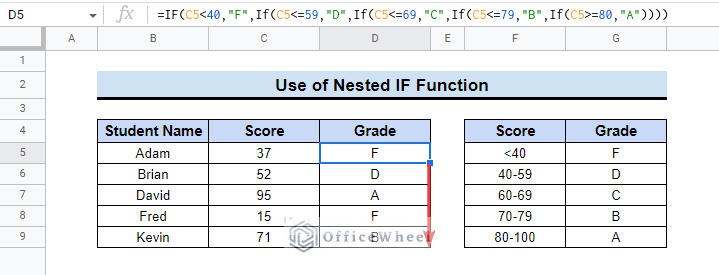
The IF function in Google Sheets returns a specified value if a condition holds true and another specified value otherwise. But what if you need to ...


![[Fixed!] IFERROR Function Is Not Working in Google Sheets](https://officewheel.com/wp-content/uploads/2022/12/google-sheets-iferror-not-working-13.png?v=1698049945)

![[Fixed!] Wildcard Is Not Working in Google Sheets (5 Solutions)](https://officewheel.com/wp-content/uploads/2022/12/google-sheets-wildcard-not-working-05.png?v=1698049891)